Self-hosted Google Timeline alternative
Own Your Location Timeline
GeoPulse turns GPS points from your phone or tracker into a timeline of stays, trips, maps, and insights. Bring your Google Timeline history with you and keep all of it on your own server.
1.4K Stars.64 Forks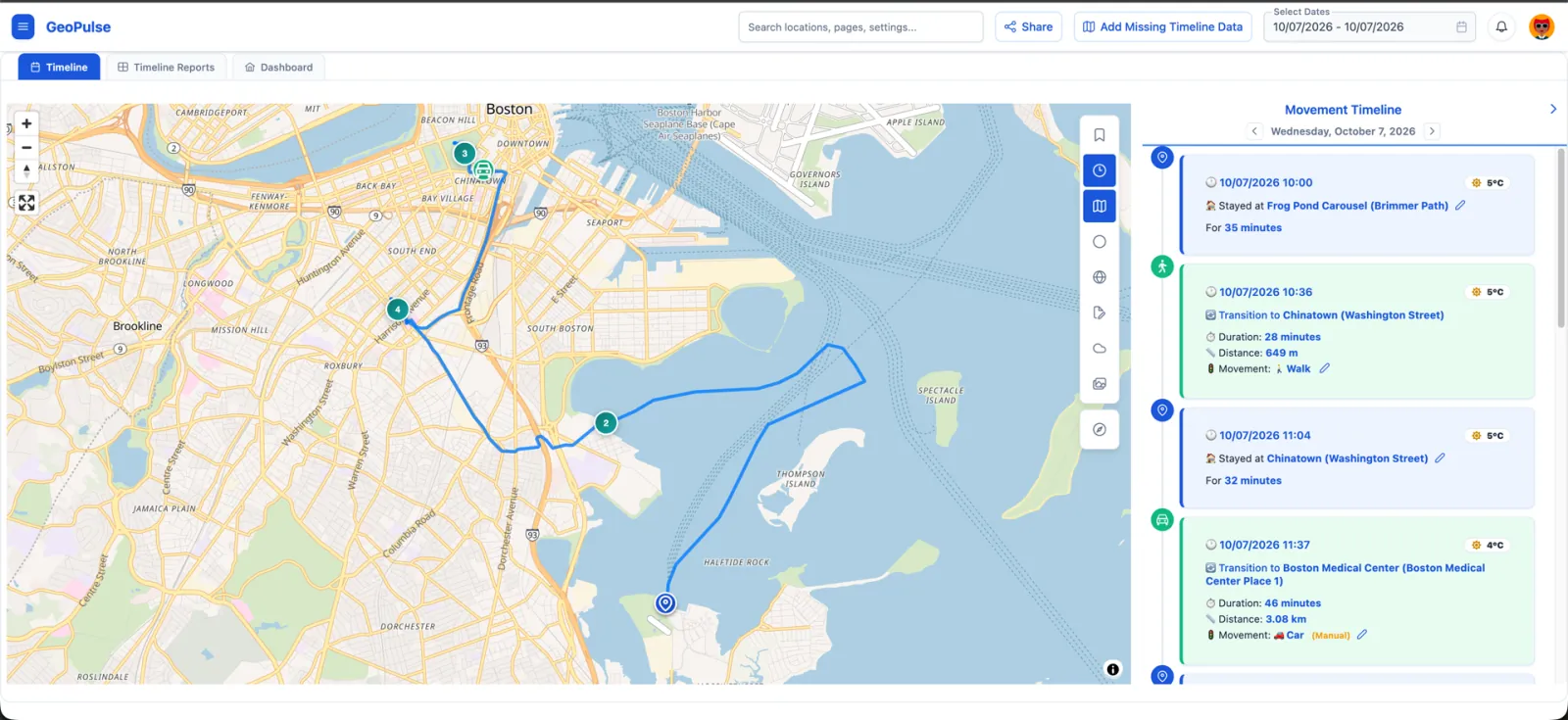
Explore GeoPulse
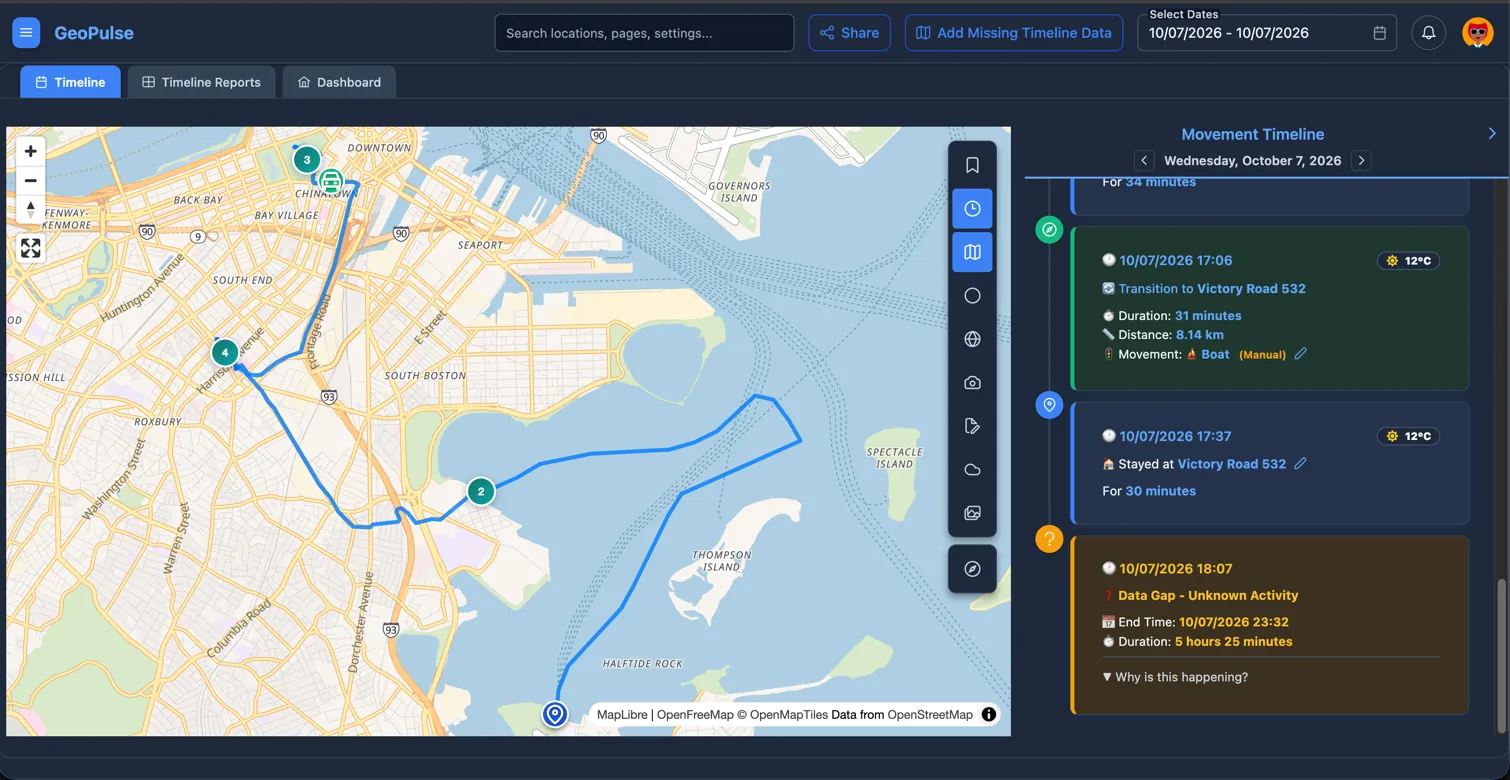
Your Day as Stays, Trips, and Gaps
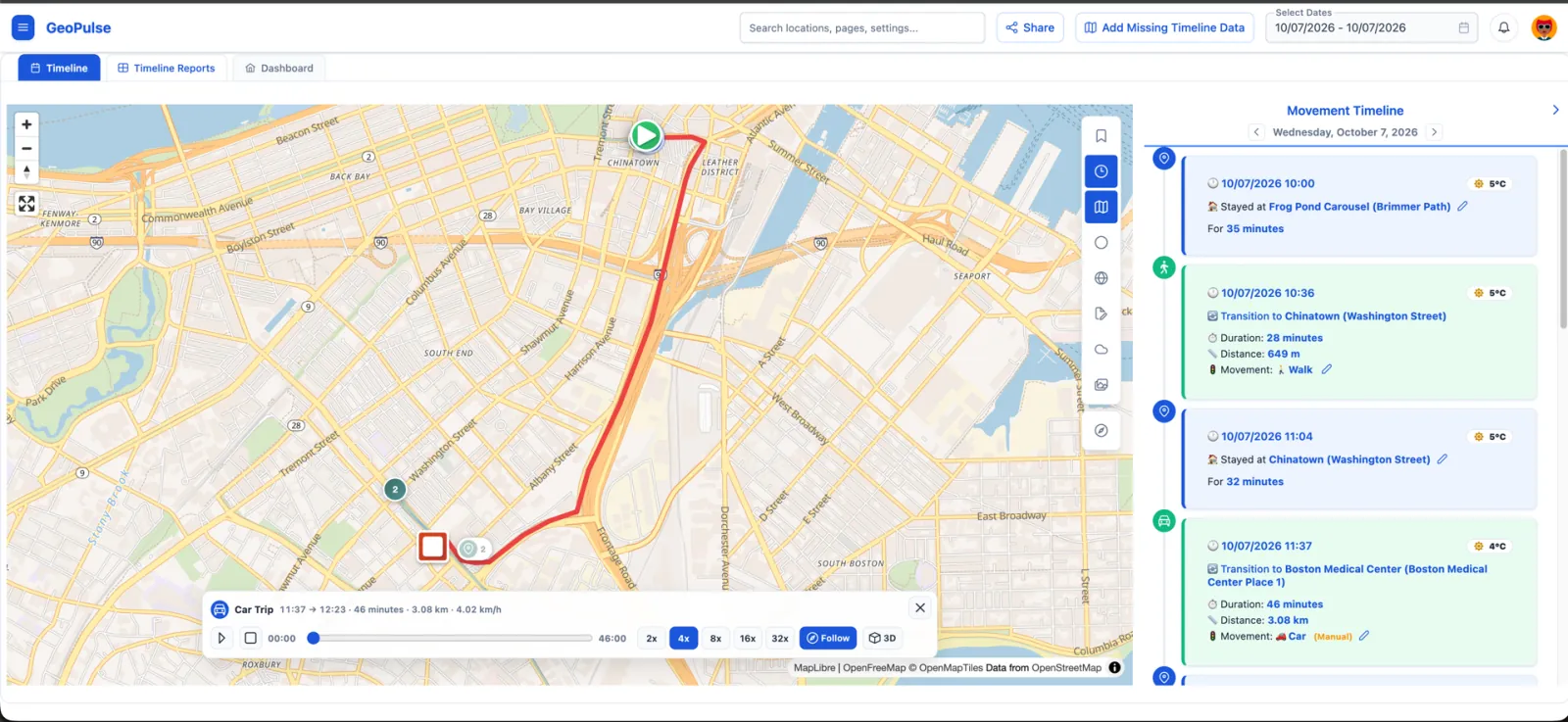
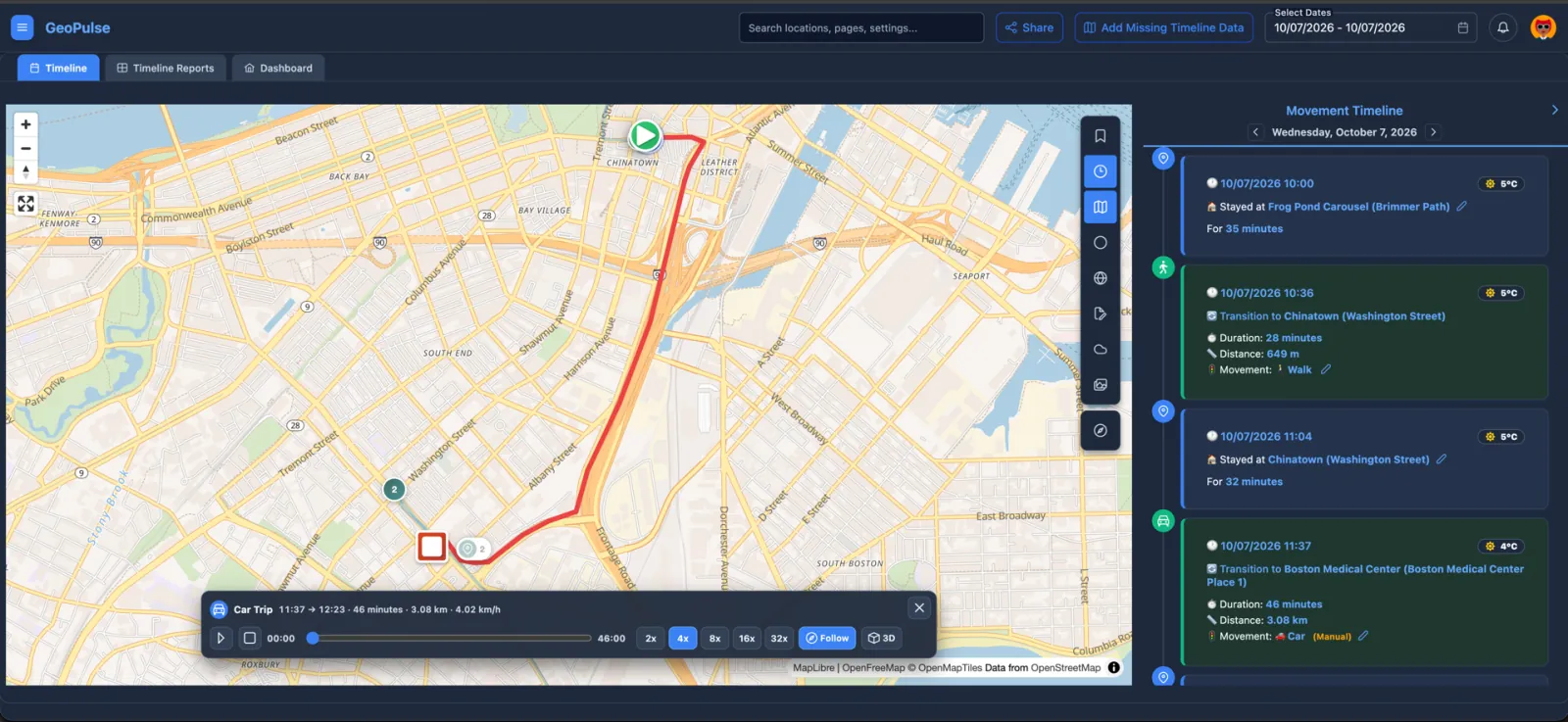
GeoPulse turns raw points into a readable timeline, then lets you replay the route and fix what GPS got wrong.
- Automatic stay/trip/gap detection
- Configurable travel modes from walking and cycling to motorcycle, train, flight, and boat
- Split a missed stop into Trip → Stay → Trip; the correction survives regeneration
- Optional Valhalla Map Matching follows roads while raw GPS remains authoritative
Deploy in minutes
Up and running with Docker Compose.
Download two files, start the containers, and open GeoPulse in your browser. Review the security settings in .env before you expose it to the internet.
Runs on amd64 and arm64 · Typically 50-100 MB RAM
All ways to install
# 1. Download the configuration
mkdir geopulse && cd geopulse
curl -L -o .env \
  https://raw.githubusercontent.com/tess1o/GeoPulse/main/.env.example
curl -L -o docker-compose.yml \
  https://raw.githubusercontent.com/tess1o/GeoPulse/main/docker-compose.yml

# 2. Start GeoPulse
docker compose up -d

# 3. Open http://localhost:5555
How GeoPulse works
From raw GPS to a readable day.
No manual check-ins. GeoPulse builds the timeline from the points your devices already collect, and you stay in control of the result.
- 1
Points arrive
Your tracker app sends GPS points over HTTP or MQTT, or you import files. Per-source filtering drops inaccurate fixes before they reach the timeline.
Connect a source - 2
Stays, trips, and gaps appear
GeoPulse groups points into stays, trips with a travel mode, and data gaps. Detection thresholds can be tuned in Timeline Preferences.
How detection works - 3
Correct and enrich
Split a missed stop, change a travel mode, and let map matching follow the roads. Photos, notes, and weather attach to the stays they belong to.
Correcting the timeline
Bring your location data
Location sources and integrations.
Track live with the apps you already use, import years of history, and add context from your self-hosted stack.
Live tracking
Import
Integrations
Your data, your server
Where your location history goes.
Nowhere you did not choose. These are the facts, not a slogan.
Stored in your PostgreSQL
GPS points, timeline, places, and settings live in your own database. Integration secrets such as AI API keys are stored encrypted.
No telemetry
GeoPulse sends no usage analytics or tracking beacons. There is no GeoPulse account and no cloud service to depend on.
No lock-in
Export your history to GeoPulse, GPX, GeoJSON, OwnTracks, or CSV at any time and take it to another tool.
Sharing is opt-in
Friends see only what you allow: live location and timeline history are separate permissions. Guest links can have a password and an expiry date.
Ready for a household
Multiple users with invitations, roles, an admin audit log, and optional OIDC sign-in.
Every outside service, listed
- Map tilesOpenStreetMap by defaultSwappable
- Reverse geocodingNominatim by default; Photon and othersSelf-hostable
- WeatherOpen-Meteo by defaultCan be turned off
- Street imageryPanoramax on Timeline mapsCan be turned off
- Release checkLatest GeoPulse version from the GitHub APIAlways on
- Trip Plans discoveryWikidata and Wikimedia Commons, when you explore an areaOn demand
- Immich, Memos, AI, Valhalla, AppriseOnly the services you set upOpt-in
FAQ
Common questions before you self-host.
Short answers pulled from the documentation FAQ, with the full page available when you want more detail.
What is GeoPulse?
GeoPulse is a self-hosted app that turns raw GPS data into a timeline of stays, trips, and data gaps, with maps, analytics, and controlled sharing. Everything runs on your own server.
Can I import my Google Timeline history?
Yes. GeoPulse reads both the Google Takeout Location History export and the newer Timeline export from your phone. Large files are processed in the background, and you can import only a date range.
Is there a mobile app?
The GeoPulse web app is built for phones and installs as a PWA. Location tracking comes from an existing tracker app: OwnTracks or Home Assistant on iPhone and Android, Overland on iPhone, and GPSLogger or Colota on Android. Traccar and Dawarich are supported too.
Can I try GeoPulse without giving up my current setup?
Yes. Import your existing history, and use a reverse proxy to mirror live OwnTracks traffic so the same points reach both GeoPulse and your current service, such as Dawarich. Switch over when you are ready.
Does GeoPulse send my data anywhere?
By default: map tiles (OpenStreetMap), reverse geocoding (Nominatim), weather (Open-Meteo), Panoramax imagery on maps, and a GitHub release check. Trip Plans place discovery uses Wikidata. Tiles and geocoding can point to self-hosted servers, and weather and Panoramax can be turned off. Immich, Memos, AI, Valhalla, and Apprise are contacted only if you set them up.
Can my family use one server?
Yes. One instance supports many users with invitations and roles. Friends can share live location and timeline history with each other, and each permission is granted separately.
Is GeoPulse free?
GeoPulse is source-available under the Business Source License 1.1 and free for personal, non-commercial use. Commercial use, including running it as a service for others, needs a separate license.
How accurate is the timeline?
Accuracy depends on GPS signal quality, tracking frequency, environment, and your timeline preferences. GeoPulse uses accuracy metrics and configurable thresholds, and you can correct the result by splitting missed stops, changing travel modes, or enabling map matching.
What server resources does GeoPulse need?
In typical self-hosted usage GeoPulse uses about 50-100 MB of memory and stays below 1% CPU outside imports, timeline regeneration, and other background jobs. Images are available for amd64 and arm64, and PostgreSQL with PostGIS is required.
Do I need AI?
No. Timeline generation, maps, and insights work without it. The AI Assistant is optional and uses your own OpenAI-compatible key, which can point to a local model such as Ollama.
Documentation
Where to go next.
Quick Start
Finish first login and connect your first location source.
Deployment
Choose Docker Compose, Unraid, Proxmox, Kubernetes, Helm, or manual install.
Administration
Authentication, registration, geocoding, weather, backups, and Prometheus/Grafana monitoring.
REST API, MCP & AI
API tokens, generated reference docs, the MCP server, and the AI Assistant.